
Moichor Lens support
Help for veterinary clinic staff using Moichor Lens to photograph microscope samples.
What you need
An iPhone running iOS 15 or later.
A microscope with 40x to 50x zoom and a smartphone microscope adapter. The app shows you how to set up the mount before you take photos.
An internet connection, Wi-Fi or cellular. Photos upload as you take them.
A Moichor account for your clinic.
Contact us
Email us and a person will help.
Include your clinic name and, if your question is about a specific sample, the test ID shown at the top of the capture screen.
Email: info@moichor.com
Your questions, answered
-
Check that your email and password are correct and that you're connected to the internet. If you still can't get in, contact us with the email address you sign in with and we'll help you regain access.
-
Moichor Lens needs camera access. Open the iPhone Settings app, tap Moichor Lens, and turn on Camera. Then reopen the app.
-
Each photo starts uploading as soon as you take it. A small badge on its thumbnail shows whether it's uploading, uploaded, or failed. If a photo shows an error, check your connection, then retry it if that option appears, or remove it and take the photo again. Stay on the screen until every photo shows a check mark.
-
For CBC, take at least 15 photos before you submit. For What is this?, attach one to three photos.
-
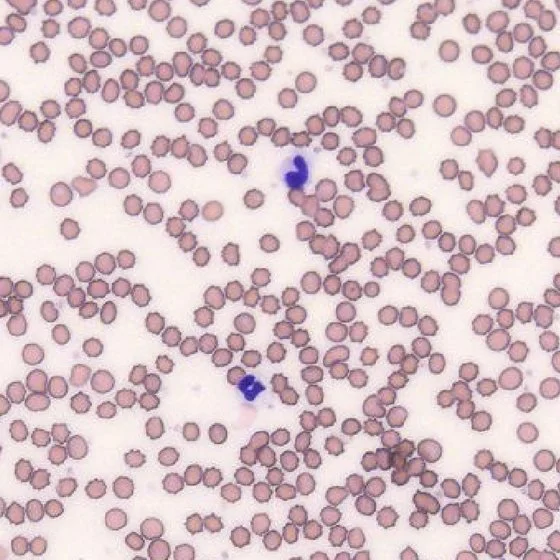
Photograph the monolayer: the area where red blood cells sit close together but mostly don't overlap, with some clear background visible between them. Areas that are too sparse or too dense are hard to analyze. Open Instructions for Image Capture on the Before You Start screen to see an example of each.
-
Before the camera opens, the Before You Start screen has an Instructions for Cell Phone Mount button. It includes a video and photos showing which knobs adjust the x, y and z axes so the image fills the screen. This setup uses the Celestron NexYZ 3-axis universal smartphone adapter. More information can be found on Celestron's product page.
-
The What is this? test lets you send up to three photos of a sample, such as cytology, urinalysis, fecal or gram stain, along with a question for the lab. Choose it instead of CBC on the screen that appears after you select your clinic.
-
Contact us with the test ID and tell us what needs to change.
-
No. The app needs an internet connection to look up your clinic, patients and veterinarians, and to upload photos.